ANDY WARHOL EFFECT photoshop tutorial


Step 1
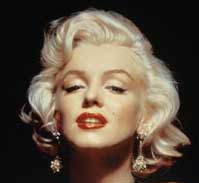
Open Photoshop; then open any portrait image to create Andy Warhol effect.
Step 2
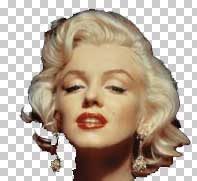
Duplicate layer. On duplicated layer, select background and delete it.
Step 3
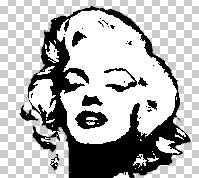
Go to Image -> Adjustments -> Threshold (Threshold Level 135).
Step 4
Fill background with colour of your choice.

Step 5
Copy and paste each part of the head into a new layer and change the colors.

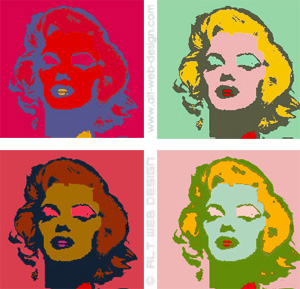

I like Andy Warhol style 😀
Hi what is this artwork called??
when was it made and wat was its original size
I love Andy Warhole style:D its fun to create weve been doing it at skol 🙂
Omg we do this at skool, and i like it, but i no tell my frends 😀
lit af
How do you copy and paste?
Doesn’t say how to copy and paste the head and how to change the colors.
Marveless project brilliant bravo to the good fellas player over here brother
How do you copy and paste each part of the head
Wonderful art style. I wish I was as good! Bravo!
eeeeeeeeeeeeeeeeeeeeeeeeeeeeeeeeeeee
Boris https://ya.ru